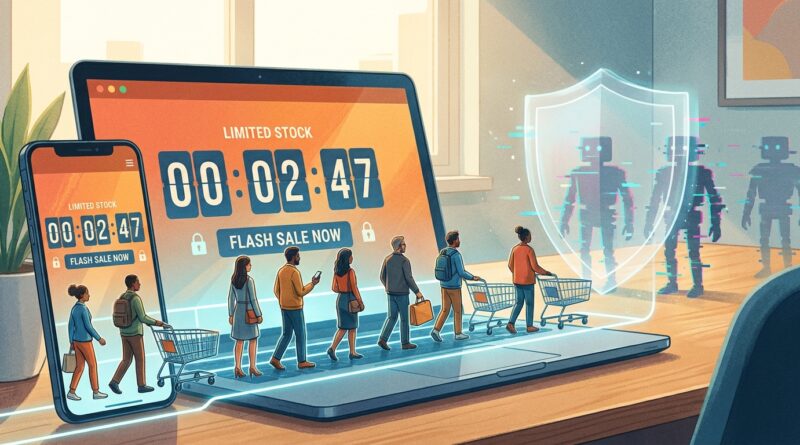
The ‘Bot-Safe Flash’ Strategy: Turn High-Traffic Sales Into Human-Only Sellouts
You do all the work to line up a flash sale, send the emails, post the countdown, maybe even pay for ads, and then the stock disappears before normal shoppers can even click checkout. That is maddening. Worse, your real customers do not blame the bots. They blame you. To them, it looks fake, sloppy, or rigged. That trust hit can last a lot longer than the sale itself. The fix is not to stop running flash sales. It is to run them in a way that gives humans a fair shot. Good bot protection for ecommerce flash sales is really about slowing down suspicious traffic, tightening purchase rules, and watching the sale in real time so you can react fast. You do not need an enterprise budget to do this well. You need a plan, a few smart settings, and the discipline to treat your sale like an event that needs crowd control, not just marketing.
⚡ In a Hurry? Key Takeaways
- Bot protection for ecommerce flash sales starts with limits, verification, and traffic filtering before the sale goes live.
- Use quantity caps, queueing or waiting rooms, checkout speed checks, and fraud rules to stop bulk bot purchases fast.
- The goal is not just stopping abuse. It is protecting margin, inventory, and customer trust during your biggest promo moments.
Why flash sales attract bots so easily
Bots love simple, predictable promotions. A public countdown, one coupon code, one launch time, and a hot product with limited stock is basically an invitation.
They do not get distracted. They do not mistype a card number. They do not need to sleep. A bot can add to cart, test promo codes, create accounts, and hit checkout far faster than a person can.
That is why smaller stores often get hit hardest. Big brands may have more traffic, but they also tend to have better security teams, queue systems, and anti-fraud tools already in place. Smaller shops often run the same flash sale template every time and hope for the best.
What “bot-safe flash” really means
A bot-safe flash sale does not mean zero bad traffic gets in. That is not realistic.
It means your setup makes automated buying harder, slower, and less profitable. It also means your best customers still get a smooth experience. That balance matters. If your defenses annoy humans more than bots, you have not fixed the problem.
The three goals
Keep suspicious traffic from flooding the site. Slow down or block suspicious checkouts. Reserve enough fairness in the process so regular customers can actually buy.
Step 1: Stop announcing the sale like a wide-open buffet
If every sale detail is public days in advance, bots have time to prepare. Try a more controlled rollout.
Safer ways to launch
Give early access to email or SMS subscribers with unique links. Use customer segments, such as past buyers or loyalty members. Stagger access in waves instead of sending everyone at once.
This also helps your servers. Traffic comes in batches, not one giant wall.
If you are also trying to protect margin while creating urgency, this pairs nicely with The ‘Dynamic-Price Flash’ Strategy: Turn Real‑Time Discounts Into A Sellout Without Killing Your Margin. A safer sale is even better when the discount itself is smarter.
Step 2: Put guardrails on inventory
This is one of the simplest fixes, and stores skip it all the time.
Use hard purchase limits
Set quantity caps per order. For hot items, that often means one or two units max. Do not rely on a polite note that says “please be fair.” Make it a system rule.
Limit repeat buys
Check for duplicate orders by email, phone number, shipping address, card fingerprint, and IP address. None of these are perfect alone. Together, they catch a lot.
Short cart holds
If your platform allows cart reservation, keep the hold short. Five to ten minutes is often enough. Long holds let bots squat on stock without paying.
Step 3: Add friction where bots hate it most
You do not want friction everywhere. You want it at the pressure points.
Best places to add checks
Account creation. Add-to-cart bursts. Coupon application. Checkout start. Payment attempt spikes.
Basic CAPTCHA can still help, but smarter risk-based challenges are better. They stay mostly invisible for good shoppers and step in only when behavior looks odd.
Examples of suspicious behavior
Dozens of checkout attempts in seconds. Many accounts from one device. Unusual typing speed. Repeated card testing. A single IP hammering one product page over and over.
Step 4: Use a waiting room or queue for big drops
If you expect a serious spike, a queue is not overkill. It is crowd control.
A waiting room can meter traffic before it crushes your site or lets bots swarm checkout. It also creates a more honest customer experience. People can see they are in line rather than staring at a broken page and wondering if the whole thing is fake.
What a good queue should do
Rate-limit entry. Block obvious automated sessions. Keep session tokens tied to one user. Prevent line-jumping by refreshing or opening new tabs.
Step 5: Make promo codes less reusable
One public code is easy for bots to grab and spread.
Safer code options
Single-use codes. Customer-specific codes. Short-lived codes that expire quickly. Auto-applied discounts attached to logged-in accounts instead of codes pasted at checkout.
This will not stop inventory bots by itself, but it does cut abuse and coupon leakage.
Step 6: Watch the sale live like a hawk
Do not launch and walk away. Flash sales need live monitoring.
What to monitor in real time
Traffic by source. Add-to-cart rate. Checkout completion rate. Orders per minute. Failed payment spikes. Inventory depletion by SKU. Duplicate order patterns.
If inventory vanishes but completed orders do not rise at the same pace, that is a red flag. If one region suddenly produces a weird amount of traffic, look closer. If failed payment attempts explode, card testing may be underway.
Have a kill switch
Be ready to pause the sale, disable a code, block a country or IP range, tighten quantity limits, or switch on stricter verification. Decide these rules before launch, not in the middle of a panic.
Step 7: Clean up bad orders fast
Some bots will still get through. The answer is quick review.
Orders worth checking manually
Multiple orders to the same address. Slightly different names with the same card or phone. Overnight shipping on many low-stock units. Orders placed seconds apart with nearly identical details.
Canceling abusive orders quickly gives real customers a second chance if you restock the released inventory. It also sends a message that your store is not easy to game.
Step 8: Protect your regular customers, not just your products
This part is easy to miss. A bot-safe flash sale should feel fair.
Simple customer-friendly moves
Tell shoppers when stock is limited. Explain any queue clearly. Offer back-in-stock alerts on sold-out items. If abuse affects the sale, say so plainly and professionally. People are more forgiving when they know you are protecting them, not hiding behind vague excuses.
If your loyal customers keep losing out, consider VIP windows or loyalty-only access before the public sale starts. Rewarding known humans is often smarter than fighting every random visitor equally.
Common mistakes that make bot problems worse
Using only a countdown timer
Countdowns create urgency, but by themselves they also create a target.
One discount code for everyone
Easy to share. Easy to automate. Easy to abuse.
No order limits
This is the classic own goal. If one checkout can grab ten units, somebody will.
No live monitoring
If you only review the sale after it ends, you are studying the fire after the building is gone.
Overblocking good customers
If every real buyer gets forced through multiple puzzles and failed checkouts, your defense is too clumsy.
A simple bot-safe flash sale checklist
Before the sale
Set quantity limits. Create duplicate-order rules. Turn on risk checks or CAPTCHA where needed. Decide whether you need a queue. Use segmented or unique promo access. Test your inventory and checkout settings.
During the sale
Watch traffic and order patterns live. Be ready to tighten rules. Pause suspicious campaigns or sources. Cancel obvious abusive orders quickly.
After the sale
Review what slipped through. Check chargebacks and fraud signals. Note which traffic sources behaved badly. Adjust before the next promotion.
At a Glance: Comparison
| Feature/Aspect | Details | Verdict |
|---|---|---|
| Public countdown + open checkout | Easy to set up, but gives bots a clear target and little resistance once the sale starts. | High risk for hot products. |
| Segmented access + purchase limits | Controls who gets in first and reduces the amount any one buyer can grab. | Best low-cost starting point. |
| Queue + risk checks + live monitoring | More setup, but gives the strongest bot protection for ecommerce flash sales during major spikes. | Best for high-demand launches and Q4 promos. |
Conclusion
Bot attacks on flash sales are rising right when brands are pushing harder into Q4 promos and BFCM warmups. Smaller stores often get hit first because they copy the flashy parts of a sale, the timer, the coupon, the blast email, but skip the protection. The good news is you do not need a giant security team to fix that. A bot-safe approach is mostly about smart basics done in the right order: controlled access, tight quantity rules, checkout friction in the right spots, live monitoring, and fast cleanup. Do that well and you protect margin, give real customers a fair shot, and earn the confidence to run bigger, bolder promos without that sinking feeling that the next traffic spike will be hijacked.