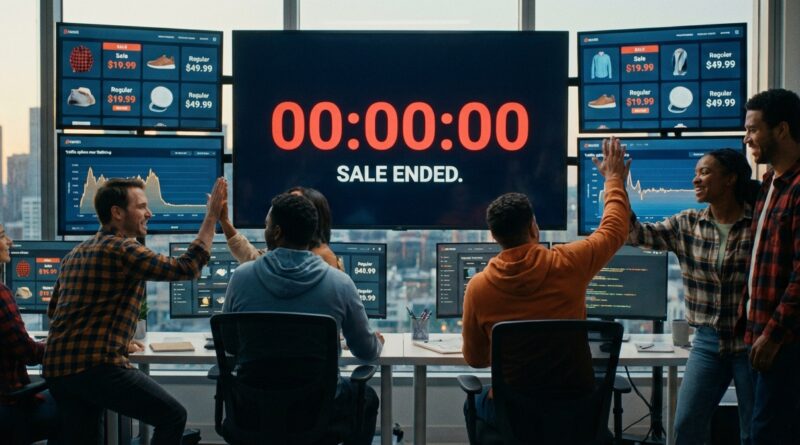
The ‘Auto‑Lock Flash Sale’ Strategy: Run 24‑Hour Deals That End Themselves (And Earn You More Trust)
You know the sinking feeling. The sale is meant to end at midnight, but someone forgets to switch it off, orders keep coming in at the discount, and by morning your “24 hours only” promise looks a bit silly. Worse, a traffic spike hits, inventory lags behind, and suddenly you are oversold on your site, on marketplaces, and maybe even in-store too. It is frustrating because the whole point of a flash sale is urgency, not chaos. If you are wondering how to automatically end a 24 hour ecommerce flash sale, the answer is simple in principle: set the discount, stock rules, and website messaging to expire on a timer, then test the cutoff before the sale goes live. Done right, an auto-lock setup protects your margins, keeps your deadline honest, and lets your team stop hovering over the keyboard at 11:59 p.m.
⚡ In a Hurry? Key Takeaways
- Use timed rules so your discount, sale banners, and promo messaging stop automatically at the exact end time.
- Before launch, test inventory sync, order caps, and what customers see one minute before and after the cutoff.
- This protects trust as much as profit. Real deadlines feel credible, and your ops team avoids late-night cleanup.
What “auto-lock” actually means
An auto-lock flash sale is not just a countdown clock on the homepage. It is a sale with a built-in shutoff.
At the set end time, a few things should happen automatically:
- The discounted price disappears.
- Promo codes stop working.
- Sale badges and banners switch off.
- Products return to normal pricing or normal visibility.
- Inventory rules go back to standard settings.
That is the heart of it. No one has to remember. No one has to log in from dinner. No one has to fix a 2 a.m. mistake.
Why this matters more now than it used to
Shoppers have seen too many fake “last chance” deals. If every sale gets extended, the deadline stops meaning anything. People notice.
That is why a clean 24-hour promo stands out. It feels believable. It feels fair. It also trains customers to pay attention next time, because they know you mean it.
If you want the promotion to feel exciting without feeling pushy, it helps to pair the timing with smart messaging. How to Run a 24‑Hour Flash Sale That Feels VIP, Not Spammy is a good companion read for that side of the job.
How to automatically end a 24 hour ecommerce flash sale
The practical setup usually comes down to five layers. Think of it like locking five doors instead of one.
1. Schedule the pricing rule
Your ecommerce platform or app should let you set a start time and end time for sale pricing. This is the first lock.
If your store does not support scheduled discounts natively, use an app or plugin that does. The key is that the discount rule itself expires. Not just the homepage banner.
2. Set promo codes to expire at the same minute
If you are using a coupon code, it needs its own end time too. Otherwise customers will still be able to apply the discount even after the sale page is gone.
Match the timezone carefully. This is where a lot of brands get tripped up.
3. Auto-switch the site messaging
Your hero banner, collection page copy, popups, and countdown timers should change automatically at the cutoff. If the sale ends but your homepage still screams “Ends tonight,” that is messy and confusing.
Many email and SMS tools can also stop scheduled sends once the sale ends. Use that. You do not want a “last 2 hours” text going out after the discount is already dead.
4. Add inventory safeguards
This is the part people forget.
Flash sales can create fast-moving stock problems, especially if you sell on more than one channel. Add rules such as:
- Inventory buffers, so you do not sell the very last units everywhere at once.
- Per-order quantity limits on hot items.
- Temporary reservation windows during checkout.
- Channel sync checks before launch.
If your stock updates every few minutes instead of in real time, be careful. That lag can cause overselling fast.
5. Test the end, not just the start
Most teams test whether the sale turns on. Fewer test whether it turns off properly.
Do a dry run in a staging store or with a hidden product. Check what happens one minute before the deadline, at the exact deadline, and five minutes later.
Try it from mobile too. Try it with a coupon code. Try it with an item in cart before the sale ends and checkout after it ends.
The simple checklist your ops team will thank you for
If you want a cleaner launch, use a short pre-flight checklist:
- Confirm sale timezone.
- Confirm discount start and end times.
- Confirm code expiry time matches sitewide sale expiry.
- Confirm banners and countdown timers auto-hide.
- Confirm inventory sync is healthy across all channels.
- Set quantity caps on likely bestsellers.
- Prepare the “sale has ended” page or fallback messaging.
- Assign one person to monitor, not manually control.
That last point matters. During the sale, your team should be watching for problems, not acting as the off switch.
Common mistakes that make a flash sale look sloppy
Countdown timer ends, but discount still works
This is the classic trust-killer. The timer is just decoration unless it is tied to the actual pricing rule.
One sales channel updates later than the others
Your website may stop the sale on time while a marketplace listing keeps the lower price. If you sell in multiple places, build in a small stock buffer and test each channel.
Products remain cached at the old price
Some stores use caching or content delivery tools that can keep old pricing visible for a while. Make sure cache clears are part of the automation.
Customer carts keep yesterday’s price
Some platforms lock price at add-to-cart. Others recheck at checkout. Know which one you have, then explain it clearly in your terms if needed.
Should you hard-stop the sale or use a soft landing?
Usually, hard-stop pricing is best. The sale ends when it ends.
But the customer experience after that can still be graceful. For example, when the sale ends, you can send shoppers to:
- A regular-priced product page.
- A waitlist for the next drop.
- A “sale ended” collection with bestsellers still featured.
- A signup form for early access next time.
This keeps the deadline real while still capturing interest.
What platforms and tools should handle
You do not need a giant custom build for this. Most modern ecommerce stacks can handle it if you set them up properly.
Look for tools that support:
- Scheduled product or collection discounts.
- Expiring coupon codes.
- Automatic theme or banner changes.
- Inventory syncing across channels.
- Low-stock thresholds and purchase limits.
- Analytics for traffic and conversion during the sale window.
If your setup requires three people manually changing prices, swapping homepage graphics, and pausing ads by hand, it is too fragile for a true flash sale.
At a Glance: Comparison
| Feature/Aspect | Details | Verdict |
|---|---|---|
| Timed pricing shutdown | Sale prices and promo codes expire automatically at a fixed time. | Essential. This is the core of an auto-lock sale. |
| Inventory protection | Buffers, quantity limits, and channel sync reduce overselling during traffic spikes. | Strongly recommended, especially for multichannel stores. |
| Automated site messaging | Banners, timers, and popups turn off or switch after the deadline. | Important for trust and a polished customer experience. |
Conclusion
A good flash sale should feel exciting for shoppers, not nerve-racking for your team. Right now people are numb to fake scarcity and endless “extended” deals, so the brands that stand out are the ones with real deadlines and sites that hold together when traffic jumps. An auto-lock flash sale solves three problems at once. It keeps you honest, it stops accidental margin leaks, and it takes a lot of pressure off ops because nobody is left wondering what happens if everything goes sideways at 6 p.m. Set the rules, test the shutoff, and let the sale end itself. That is how you run more frequent, cleaner promotions without babysitting every second of them.