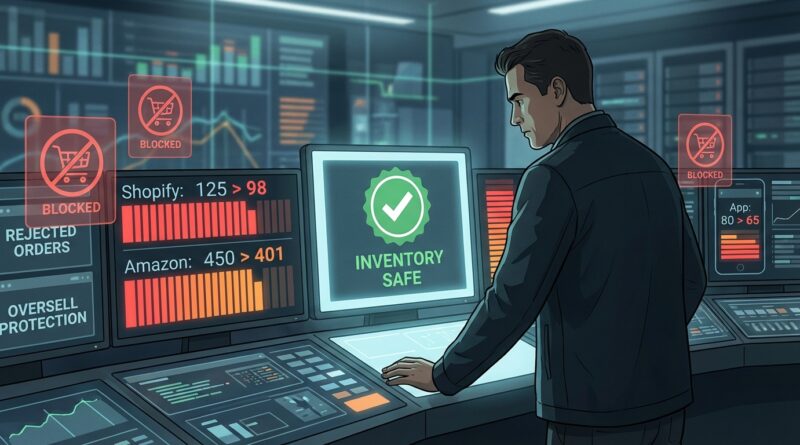
The Inventory‑Safe Flash Sale: How To Drive Urgency Without Overselling Or Issuing Embarrassing Refunds
Nothing kills the buzz of a flash sale faster than realizing you sold 47 units you do not actually have. If you have ever spent a Monday morning sending apology emails, issuing refunds, and explaining to angry customers why a “limited-time deal” turned into “sorry, out of stock,” you are not alone. This is one of the most common messes in multichannel selling. The problem is usually not the promotion itself. It is the tiny delay between channels updating stock. Five minutes sounds harmless until a hot SKU is moving every few seconds on your site, Amazon, Etsy, TikTok Shop, or wherever else you sell. The good news is you do not need enterprise software or a giant ops team to fix it. A smart inventory safe ecommerce flash sale strategy starts with tighter rules, smaller promises, and a plan that assumes your systems will lag a little when traffic spikes.
⚡ In a Hurry? Key Takeaways
- Run flash sales against a protected stock pool, not your full live inventory, so one hot channel cannot oversell everything.
- Pause or limit slower-sync channels during the sale window, and build in a safety buffer of 5 to 20 percent on promoted SKUs.
- The goal is not selling every last unit. It is keeping the sale profitable without refunds, penalties, and customer trust damage.
Why flash sales break inventory so easily
Flash sales are designed to create urgency. That urgency works. Customers move fast, carts fill fast, and stock disappears fast.
But your inventory systems do not always move at the same speed.
If you sell on more than one platform, each channel may update stock on its own schedule. One order comes in on your website. Another lands on a marketplace. A third is sitting in checkout somewhere else. In the real world, those numbers do not always talk to each other instantly.
That is how phantom inventory shows up. On paper, it looks like you have 20 left. In practice, 20 became 8 two minutes ago, and your channels have not caught up yet.
During a normal day, you might get away with that. During a flash sale, the lag gets exposed fast.
What an inventory-safe ecommerce flash sale strategy actually looks like
The safest approach is not fancy. It is disciplined.
You stop treating your whole inventory count as available for promotion. Instead, you create a controlled sale quantity, decide where it can be sold, and make sure every step has a buffer.
Think of it like hosting a dinner party. If 20 people might show up, you do not cook exactly 20 portions and hope nobody wants seconds. You build in slack.
Step 1: Pick only the SKUs that can survive a traffic spike
Not every product should be in a flash sale.
Start with items that have:
- Clean stock counts
- Low return rates
- Simple variants
- Reliable fulfillment speed
- Enough margin to absorb a discount
Avoid messy products. If a SKU has size runs scattered across bins, frequent count errors, or known sync issues, keep it out of the sale.
This is where many merchants get into trouble. They choose their most exciting product, not their most stable one.
Step 2: Create a sale-only stock pool
This is the single most useful move you can make.
Do not put your full on-hand quantity into the flash sale. Carve out a smaller amount as your sale allocation. If you have 200 units, maybe only 120 are eligible for the deal. The rest stay protected.
This does two things:
- It limits the damage if channels sync slowly
- It gives you backup stock for replacements, support fixes, or a second promo later
Big retailers do this all the time. Smaller stores can do it too, even if the process is manual.
If your systems do not support reserved promo stock, create a simple spreadsheet or internal tracker before the sale starts. It is not glamorous, but it works.
Step 3: Add a safety buffer before you publish the offer
Here is the part many stores skip. They count 100 units and sell 100 units.
That is too tight for a fast event.
Instead, reduce the sale quantity by a buffer. The right number depends on how messy your operation is, but a practical range is 5 to 20 percent.
For example:
- If stock accuracy is strong and channel sync is fast, use a 5 percent buffer
- If you sell on several marketplaces and updates are slower, use 10 to 15 percent
- If your counts are often off, use 20 percent or skip the flash sale entirely
Yes, this means you might leave a few units unsold during the promotion. That is still better than refunding 14 orders and taking seller-account hits.
Step 4: Decide which channel gets priority
This part matters more than people think.
When the sale goes live, where do you want the product to sell first?
Your direct site usually gives you better margin and better customer data. Marketplaces may give you more reach but less control. You do not want all channels fighting over the same last 30 units.
Pick a primary channel. Then either:
- Run the flash sale only there
- Give that channel most of the stock
- Temporarily suppress or reduce quantity on secondary channels
This is one of the simplest ways to avoid overselling without buying anything new.
The practical channel-control playbook
If your inventory sync is not instant, your sale setup needs to reflect that reality.
Best option: one-channel flash sale
The safest model is to run the promotion on one channel only for a short window. That keeps all the urgency without spreading stock across systems that may lag.
If you want fresh ideas for making a short event feel exciting, The One-Hour UGC Flash Sale: Turn Customer Videos Into Your Highest-Converting Drop Of The Week is a good example of how to make the promotion feel special without just cutting price harder.
Second-best option: split stock by channel
If you must sell across multiple places, assign fixed quantities to each one. Do not let every channel see the full amount.
Example:
- Website gets 60 units
- Amazon gets 25 units
- Etsy gets 10 units
- Reserve stock holds 15 units
That setup is much safer than showing all channels access to the same 110 units.
Risky option: shared full inventory across all channels
This is the setup that creates the ugly Monday inbox.
It looks efficient. It is not. Shared inventory works best when order volume is normal, not when urgency is driving a rush.
How to prepare 24 hours before the sale
You can prevent a lot of pain with a simple pre-flight check.
Do a physical stock check on featured SKUs
Do not trust the software alone. Count the actual units. If the item has variants, count those too.
Freeze unnecessary changes
A flash sale is not the time to update bundles, edit listings, change warehouse logic, or test a new app.
Keep the environment stable for one day before and during the sale.
Review sync times
How long does each channel take to reflect a stock change? If you do not know, find out. This one number should shape your whole plan.
Write your stop rules in advance
Decide before launch:
- At what stock number will you pause ads?
- At what level will you pull the listing from marketplaces?
- Who is responsible for watching inventory during the sale?
These decisions are much easier before the rush starts.
What to monitor during the sale
A flash sale needs live supervision. Even a small one.
Have one person watch three things:
- Units sold by channel
- Remaining protected stock
- Any gap between orders placed and stock reduced
If the numbers look strange, stop the promotion first and sort it out second. Stores often hesitate because they do not want to lose momentum. But the cost of ten extra minutes of sales can be far worse than the cost of pausing.
Use a simple “yellow light, red light” system
This works well for non-technical teams.
- Green light: stock healthy, all channels active
- Yellow light: lower than expected stock, pause ads or remove marketplace exposure
- Red light: stop the sale, hide listings, investigate orders
Simple beats clever when traffic is high.
How to avoid embarrassing refunds if you still oversell
Even good systems are not perfect. So you need a recovery plan.
Keep a small holdback for save-the-order moments
A reserve of even 5 to 10 units can help you fulfill borderline oversold orders and avoid turning a customer service issue into a public complaint.
Set a replacement policy before launch
If a specific SKU sells out, can you offer:
- A nearby color or size
- A gift card bonus
- A delayed ship date with clear consent
Decide now, not when support is overwhelmed.
Message customers quickly and honestly
If you do have to contact buyers, be direct. No vague language. Tell them what happened, what their options are, and when they will hear from you again.
Customers can forgive mistakes. They rarely forgive silence.
What smaller merchants can copy from big retailers
You do not need their budget. You need their habits.
Here is what big operations do that smaller teams can copy right away:
- They promote allocated stock, not total stock
- They use buffers
- They prioritize certain channels
- They assign a person to watch the event live
- They stop early instead of apologizing later
That is the real secret. It is not magical software. It is discipline around limits.
Common mistakes that turn urgency into a support nightmare
Using countdown timers with no inventory control
The timer creates demand. If stock control is weak, the timer also creates refunds.
Discounting too many SKUs at once
More products means more moving parts. Start with one to three proven items.
Letting marketplaces keep running after your site is nearly sold out
This is a classic oversell trap. If your site is the priority, the other channels should be reduced early.
Trusting “available” inventory without checking holds, returns, and damaged stock
Not every unit in the system is truly sellable.
At a Glance: Comparison
| Feature/Aspect | Details | Verdict |
|---|---|---|
| Sale stock setup | Use a limited sale-only allocation with a 5 to 20 percent safety buffer instead of exposing all live inventory. | Best way to reduce overselling risk fast. |
| Channel strategy | One-channel flash sales are safest. If you must go multichannel, split stock by channel and cut slower-sync platforms first. | Control beats reach during short, high-speed promos. |
| Live monitoring | Assign one person to watch orders, stock drops, and sync gaps with clear stop rules. | Small effort, huge protection for profit and customer trust. |
Conclusion
Flash sales still work. The problem is not urgency. The problem is pretending your inventory is cleaner and faster than it really is. Right now a lot of brands are leaning on countdown timers and Lightning-style deals, but there is a painful pattern under the hype. Multichannel sellers are getting crushed by phantom inventory and oversold SKUs every time a sale hits. That leads to refunds, penalties, and customers who stop trusting “limited-time” offers altogether. A practical inventory safe ecommerce flash sale strategy fixes that. Protect some stock. use buffers. Pick channel priorities. Watch the sale live. These are simple moves, but they let smaller stores borrow the discipline of big retail systems without buying new software. Done right, you can push harder on promotions today and still sleep well tomorrow.